
Hailuo 2.3 Standard
Hailuo 2.3 Standard offers video generation at 768P (6s and 10s) and 1080P (6s). It's perfect for quick, high-quality clips with smooth motion for basic creative needs.
Hailuo 2.3 Standard offers video generation at 768P (6s and 10s) and 1080P (6s). It's perfect for quick, high-quality clips with smooth motion for basic creative needs.
Hailuo 2.3 Pro supports 768P (6s and 10s) and 1080P (6s) videos. It’s designed for professionals needing higher resolution and longer video lengths for more detailed and cinematic projects.
Hailuo 2.3 gives you smoother and more natural motion in every scene. It tracks pose changes, weight shifts, and camera movement accurately, so your generated videos follow clear physical logic and stay stable across frames.
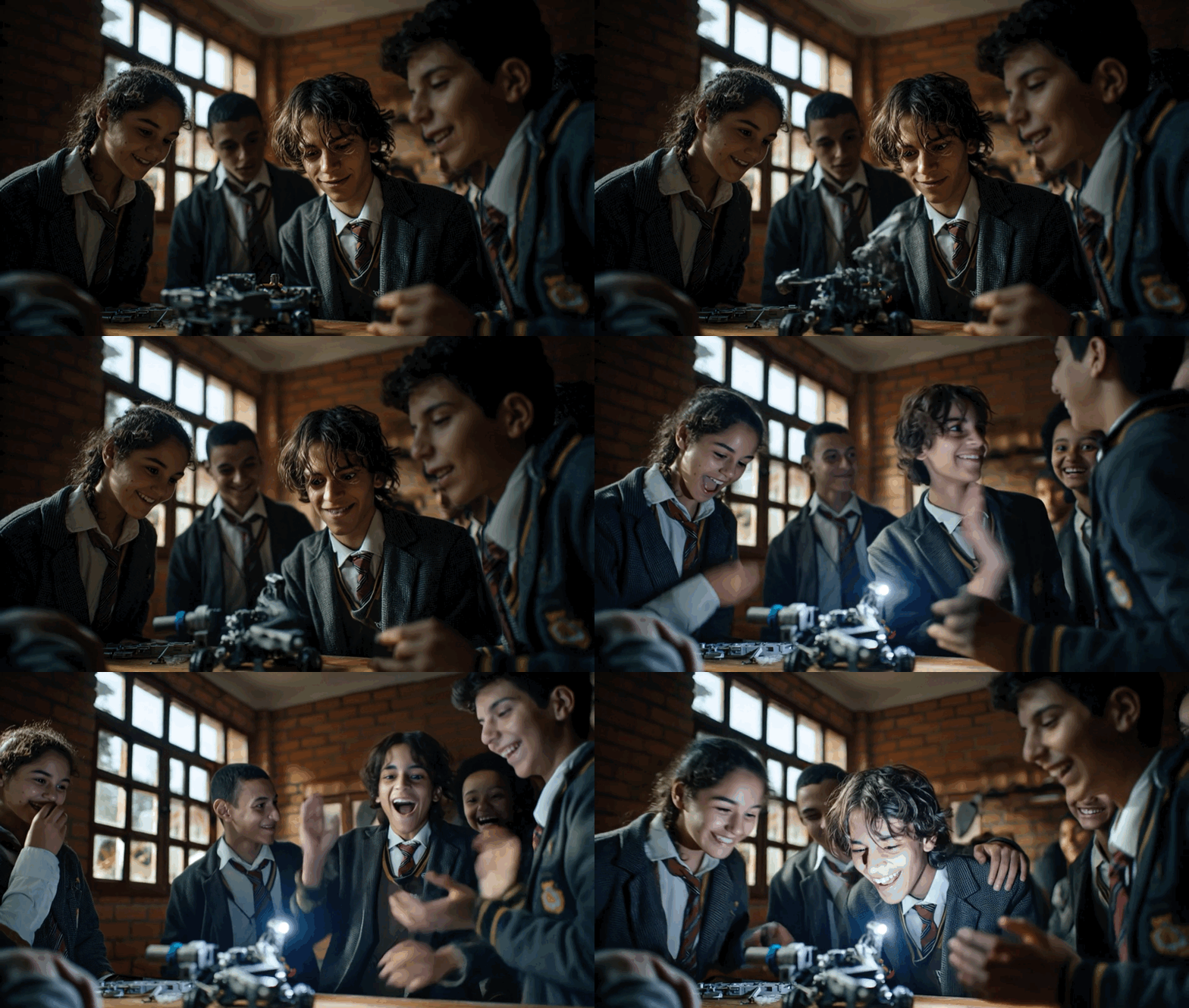
You can expect better facial detail with MiniMax Hailuo 2.3. The model captures eye focus, small emotional shifts, and natural reactions, making characters look consistent and believable in short clips or narrative shots.
Hailuo 2.3 handles lighting changes, shadow direction, and tonal shifts in a more controlled way. This helps your video maintain a coherent look even when the scene includes light transitions or reflective surfaces.

Hailuo 2.3 supports realism, anime, illustration, CG, and stylized modes while keeping colors and structure consistent. This gives you room to experiment with different visual ideas without losing overall quality.
Hailuo 2.3 applies momentum, gravity, and natural motion cues to keep actions grounded. Movements like turning, jumping, or running feel more connected and believable across the entire sequence.
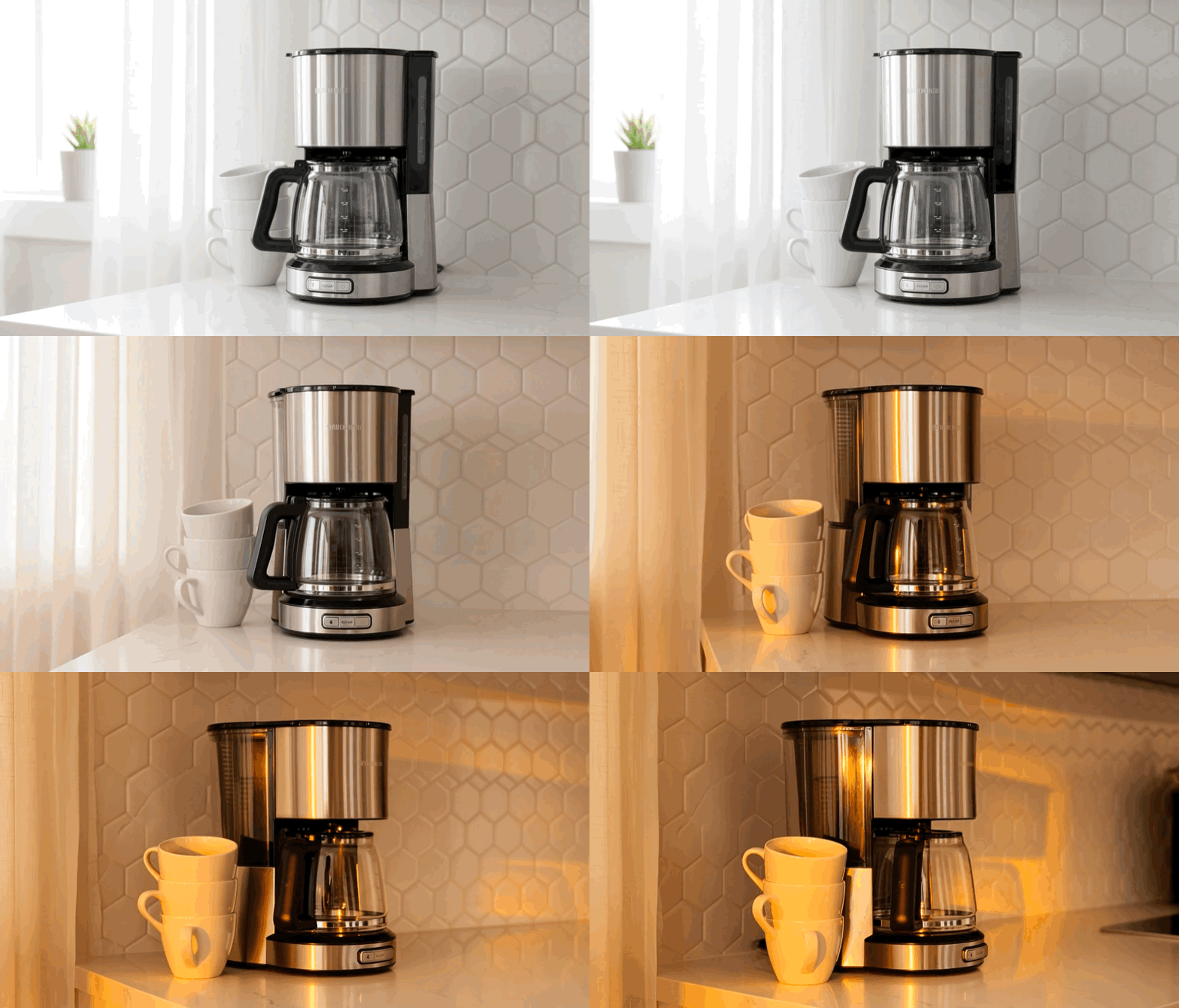
Hailuo 2.3 lets you build short narrative clips with clearer motion, better facial detail, and stable lighting. It works well for character-focused moments, mood pieces, story beats, or simple cinematic tests based on a short prompt or image.
Hailuo 2.3 handles rhythm, pose transitions, and body balance well, making it effective for generating dance-focused clips. You can describe the style, tempo, or choreography, and the system creates fluid sequences that follow clear physical movement.
You can use Hailuo 2.3 to create smooth rotating shots, lifestyle scenes, or simple demo clips for products. Motion stays steady across frames, making it suitable for social ads, landing-page visuals, and quick brand experiments.
If you want to compare anime, CG, illustration, or realistic styles, Hailuo 2.3 keeps structure and color consistent across frames. This makes it easier to explore variations and test visual ideas without losing clarity.
Hailuo 2.3 builds upon Hailuo 02, offering significant improvements in motion control, physical realism, and overall video quality. Below is a breakdown of the key differences between the two models.
| Feature | Hailuo 02 | Hailuo 2.3 |
|---|---|---|
| Resolution | 768p, 1080p | 768p, 1080p |
| Duration | 6s, 10s | 6s, 10s |
| Render Speed | Moderate | Improved speed |
| Motion Control | Realistic physics simulations | Advancements in motion control, more fluid and natural movements |
| Facial Expression | Basic facial expression generation | Enhanced facial expressions and micro-expressions for more natural performances |
| Artistic Styles | Realism, anime | Realism, anime, ink wash painting, game CG, and more |
| Input Methods | Text-to-video (T2V) and Image-to-video (I2V) | Text-to-video (T2V) and Image-to-video (I2V) |
| Enhanced Features | Focus on basic video generation | Improved physical action portrayal, advanced stylization, better facial detail, and response to motion commands |
Try Hailuo 2.3 AI Video Generator for free on YesChat AI. Test the powerful capabilities of Hailuo AI without any commitment. Create high-quality videos from text or images and explore how the model works before upgrading.
Integrating GPT-5 with Hailuo 2.3 allows you to refine your video prompts and improve the generated content. Use GPT-5 to assist in crafting better prompts for the Hailuo AI video generator, ensuring your videos are created with precision and creativity.
In addition to Hailuo 2.3, YesChat AI provides access to other advanced models, such as the Google Veo 3.1 AI video generator. Choose from various models to meet your creative needs, whether it's for fast video generation or high-quality motion graphics.